
Explore the website · Free browser tools · Practical guide
Got a JSON error, an unfinished blog draft or a tricky URL? PerkAbility Rewards brings focused online utilities together with straightforward tutorials, so you can complete small digital tasks without searching through a dozen unrelated websites.
I developed PerkAbility Rewards to make useful everyday web tools easier to find and simpler to try. This guide is a tour of what the website actually offers, with small examples you can copy, test and understand. Whether you're learning development, creating content, managing a small business website or just handling a one-off task, you can start with a specific problem instead of a complicated software package.
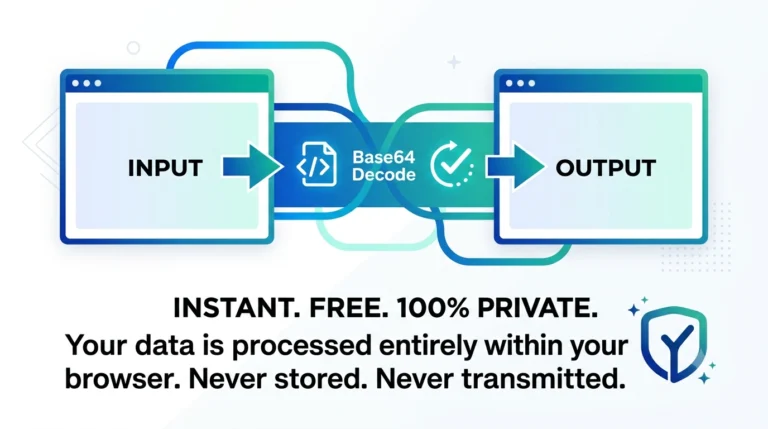
No separate desktop app is required for these browser utilities. Features, network requirements and data handling vary by tool; always check the notes on its individual page.
What Is PerkAbility Rewards?
PerkAbility Rewards is a practical website for free browser-based utilities and technology guides. The tool directory currently includes a JSON Formatter & Validator, Base64 Encoder & Decoder, URL Encoder & Decoder, Text Case Converter, HTML Entity Encoder, Word & Character Counter, Color Converter and IP Address Lookup. The related guides explain what those tools are for, show examples and help you avoid common mistakes.
This is not a claim that one website can replace a full development environment, security product, editing team or analytics platform. The purpose is simpler: when you need a focused transformation or check, you should be able to open an appropriate utility, understand its limitations and finish the task.
The quickest way to use the website: pick the task below, open its corresponding tool, enter harmless sample data, run the available action and review the result before using it anywhere important.
Format and Validate JSON Data
Best for: API examples, software configurations and structured data.
JSON is often used by apps and websites to exchange information. When an API response is compressed into a single line, nested data can be hard to read. The JSON Formatter & Validator makes valid JSON easier to inspect by adding indentation. Its validation step also alerts you when the input cannot be parsed as strict JSON.
{"product":"notebook","price":25,"inStock":true}Choose Format JSON. The same object should appear with line breaks and indentation, making the three fields easier to review. Choose Minify to remove unnecessary formatting.
If you add a trailing comma before the final closing brace, the text becomes invalid JSON. The formatter will report a parsing error rather than silently inventing a correction. Learn more in our guide to 12 common JSON errors or see why AI-generated JSON sometimes fails validation.
Try JSON FormatterCheck Your Draft's Word and Character Count
Best for: blog drafts, product descriptions, assignments and short copy.
When preparing a blog post or social caption, you may need to check the length rather than rely on an AI assistant's approximation. The Word & Character Counter updates as you type and shows word count, character count, sentence count and estimated reading time.
Small tools make everyday work easier.This example has six whitespace-separated words. Use it to see how quickly the counter updates, then try a longer non-sensitive draft.
A higher word count does not automatically mean a better article. Review relevance, accuracy and structure before publishing. For a more complete editing workflow, read how to measure AI-generated content before publication.
Try Word CounterConvert Text to Uppercase, Lowercase or Title Case
Best for: preparing headings, organizing text and cleaning up copied content.
Copied text can arrive in inconsistent capitalization, especially when it comes from spreadsheets, imported documents or design drafts. The Text Case Converter lets you change text without retyping every word.
WELCOME TO MY ONLINE STORESelect the Title Case action to get Welcome To My Online Store. You can also try uppercase, lowercase or sentence case according to the controls available on the page.
Automatic title case is a quick formatting aid, not an editorial style checker. Brand capitalization, names and style rules may still need a human review.
Try Text Case ConverterEncode a URL Component Before Sharing a Link
Best for: campaign names, query values and links containing spaces or special characters.
Marketing links and application URLs often contain values with spaces, punctuation and ampersands. These characters can be misunderstood when they're inserted directly into a URL query. The URL Encoder & Decoder helps convert an individual text value into a percent-encoded representation.
summer sale & offersSelect Encode URL. The encoded component should be summer%20sale%20%26%20offers. Decode that result to recover the original phrase.
Important: this utility uses component encoding. Do not paste a complete website address, encode all its separators and assume the result is a normal clickable link. For proper marketing tracking, see how to encode URL parameters for campaigns.
Try URL EncoderConvert Special Characters to HTML Entities
Best for: showing code snippets as text and understanding basic HTML escaping.
Characters such as <, > and & have special meaning in HTML. If you want to show an HTML example in a page rather than have the browser interpret it as markup, you may need to encode those characters. Our HTML Entity Encoder helps demonstrate this transformation.
<h2>Tips & tricks</h2>Choose Encode. The output represents angle brackets and the ampersand as HTML entities, so the code can be displayed as ordinary text. Use Decode to reverse the transformation.
Encoding a sample string is not a complete defense against cross-site scripting or unsafe input. Real applications must escape according to the output context and follow secure coding practices.
Try HTML Entity EncoderUnderstand Base64 Encoding With a Tiny Example
Best for: educational examples, data formats and debugging encoded text.
Base64 represents bytes using a limited set of printable characters, making it useful in some email formats, APIs and data URLs. It is easy to reverse, so it should never be treated as encryption. The Base64 Encoder & Decoder lets you try a reversible transformation with sample text.
HelloChoose Encode to Base64. The standard result is SGVsbG8=. Move that result into the input area, choose Decode and you should recover Hello.
If you work with APIs, check the required text encoding and whether the service expects standard Base64 or Base64URL. Our detailed Base64 developer guide covers both variants and common mistakes.
Try Base64 ConverterConvert a Website Brand Color to RGB and HSL
Best for: CSS edits, brand palettes and checking color value formats.
Website colors may be written as HEX, RGB or HSL values. These formats can represent the same sRGB color in different notations. If you're working with an existing brand color, a quick conversion can save calculation time when updating stylesheets.
#1D56D8Enter this PerkAbility Rewards blue in the Color Converter and choose Convert. You'll see RGB rgb(29, 86, 216) and approximately HSL hsl(222, 76%, 48%).
Converting values does not guarantee readable text contrast. When designing buttons and content, evaluate the actual foreground/background pair. Learn more from the HEX vs RGB vs HSL website design guide.
Try Color ConverterLook Up Public IP and Network Details
Best for: basic public-network checks and learning about IP metadata.
An IP address lookup can return approximate network information for a public IP address. Our IP Address Lookup provides a simple interface for such checks. Unlike the text transformation tools above, it makes a request to an external lookup provider, so the provider receives data needed to perform the query.
8.8.8.8Enter this example public IP address and select the lookup action. Review any returned details as approximate reference information. Fields and service availability can vary; the lookup may not succeed if the external provider is unavailable or rate-limits requests.
Privacy distinction: the IP lookup uses the third-party service ipapi.co. If you leave the input empty, the provider may use the requesting device's public IP. Do not assume an approximate IP location identifies a person's precise location, and avoid using IP metadata as proof of identity.
Which Free Online Tool Should You Choose First?
The best tool depends on the immediate task. You don't need to open everything at once. Start with one small, non-sensitive example and move to a longer workflow only when you understand what the result means.
| If you want to... | Open this tool | What to check afterward |
|---|---|---|
| Read a compact API response | JSON Formatter | Correct structure and required field types |
| Measure a draft | Word Counter | Accuracy, relevance and clarity |
| Fix inconsistent capitalization | Text Case Converter | Names, acronyms and editorial style |
| Prepare a query value for a link | URL Encoder | The complete destination URL |
| Show HTML markup as text | HTML Entity Encoder | Proper escaping in your actual output context |
| Try encoded sample data | Base64 Converter | Byte encoding, variant and padding rules |
| Compare a HEX color with RGB/HSL | Color Converter | Visual contrast and design consistency |
| Inspect a public IP address | IP Lookup | Approximate results and third-party data handling |
Who Can Use PerkAbility Rewards?
Students and learners
Practice with sample JSON, learn what encoding means and compare color formats while studying web technology. Use the linked explainers to understand the result, not just copy it.
Creators and writers
Measure article length, clean up headings and prepare link values before sharing content. Review the finished copy for accuracy and whether it helps the intended reader.
Developers and testers
Format API examples, check encoded sample data and inspect output quickly. Follow up with your application's actual parser, schema validation and tests.
Small-business website owners
Use practical utilities for content editing, campaign preparation and brand colors, then check whether your website is easy to navigate, accessible and trustworthy.
How the Free Technology Guides Connect to the Tools
One reason I wanted this project to include articles as well as utilities is that a tool's output can create new questions. Why did the JSON parser reject a trailing comma? Why is Base64 not encryption? What does HSL lightness mean? How should you add UTM parameters to a marketing link?
The PerkAbility Rewards Guides directory collects practical technology articles that go beyond a single button click. You can read about choosing website colors, building campaign URLs, or planning a small-business website. Each topic is more useful when you can try the relevant utility immediately afterward.
Articles are written to explain concepts and typical workflows, not to guarantee business outcomes. For complex technical, security, financial or legal questions, always consult appropriate primary documentation or qualified professionals.
Privacy, Accuracy and Advertising: What Visitors Should Know
Online convenience should come with a clear understanding of where your information goes. Many text and conversion actions on the current website, including JSON formatting, Base64 transformations, word counting and color conversion, operate through scripts in your browser. The IP lookup is different: it requests information from an external provider, ipapi.co, and therefore uses a network service.
- Use harmless samples first. Don't paste passwords, API tokens, customer records or confidential business documents into an online utility unless your organization has approved that use.
- Validate important work. A formatted JSON payload may still violate a service's schema; an encoded URL may still point to the wrong page; an accessible color combination needs contrast testing.
- Expect third-party services on some pages. Advertisements or sponsored destinations may be provided by external companies and may use their own data practices. Check the Privacy Policy and the relevant tool notes.
- Separate promotions from instructions. Advertisements support the site but do not replace tool documentation, and visitors should choose external offers based on their own needs.
Our focus: make common online tasks easier to understand and complete. Use the right tool for the job, keep sensitive data protected, and check the result before relying on it.
Frequently Asked Questions About PerkAbility Rewards
Is PerkAbility Rewards free to use?
The browser utilities linked in this article are available to open and use without a separate purchase. The website may display advertisements and external promotional links. Review any third-party destination independently.
Do I need to download an app?
No separate desktop installation is required for the eight web tools listed here. Open their pages in a current web browser and follow the on-screen controls.
Are all tools completely offline?
No. Some conversion features process input within the browser, but network lookup features and third-party advertising depend on external services. Check each page's privacy and network notes.
Can I use the JSON Formatter to fix every API error?
No. It checks JSON syntax and formats valid text. API errors may involve authentication, application rules, missing fields or incorrect field types that require other checks.
Can I safely use Base64 to hide a password?
No. Base64 can be decoded without a secret key. Use appropriate encryption, authentication and password-handling controls instead.
Can I share these tools with friends or colleagues?
Yes. If a tool solves a task, share its direct page link and explain what it does. Practical recommendations and honest feedback help others understand whether the utility fits their needs.
Try PerkAbility Rewards and Share Your Feedback
PerkAbility Rewards is a project I'm developing to make everyday digital tasks more approachable. The best way to support its growth is to actually explore it: open one utility, test a simple example, and tell me what was clear, confusing or missing.
If this website helps you, consider sharing the tool with a friend, student, creator, developer or small-business owner who might find it useful. Your feedback can guide the next improvements.
Explore the Free Tools Directory Send Feedback or a SuggestionEditorial note: This independent website guide describes the tools and pages available at publication time. Features and linked services may change. Educational examples are illustrative. Links to external content or advertisements may appear separately from the site's utilities.